
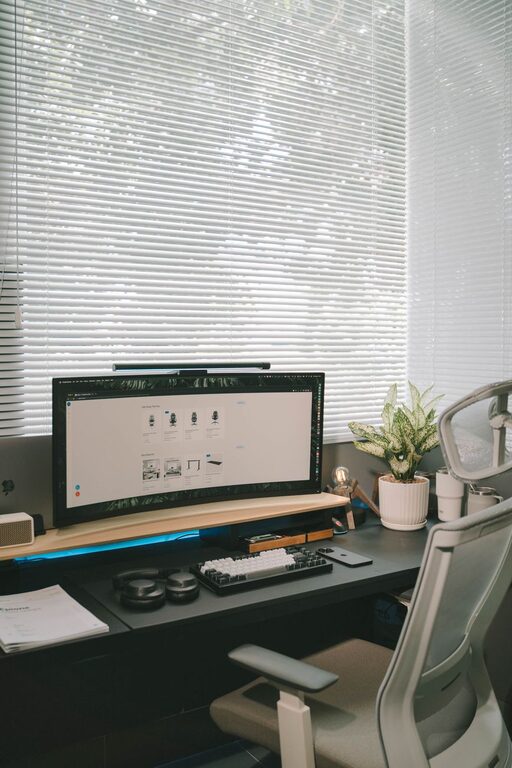
Creating a productive home office environment is essential for anyone working remotely or managing tasks from home. A well-designed workspace can help you stay focused, comfortable, and motivated throughout your workday. Whether you’re setting up a new office or improving an existing one, these tips will guide you in crafting a space that supports productivity and well-being.
Choose the Right Location
Finding the perfect spot in your home for your office is the first step. Ideally, select a quiet area with minimal distractions, away from busy household traffic. A separate room is best, but if that’s not an option, use a corner or nook where you can clearly define your workspace.
Invest in Comfortable Furniture
Ergonomics play a big role in productivity. Choose a chair that supports your back and encourages good posture. Your desk should be at a comfortable height while allowing enough space for your computer, documents, and other essentials. Consider monitor stands or keyboard trays to keep your workspace organized and comfortable.
Optimize Lighting
Good lighting reduces eye strain and keeps you alert. Natural light is ideal, so position your desk near a window if possible. Supplement with adjustable, warm LED lighting for cloudy days or late-night work, ensuring your workspace is evenly lit without glare on your screen.
Minimize Clutter and Stay Organized
A tidy workspace helps keep your mind clear. Use storage solutions like shelves, drawers, and boxes to organize supplies and documents. Keep only essential items on your desk to reduce distractions. Consider a daily or weekly routine to tidy up and reassess your organization.
Personalize Your Space
Adding personal touches makes your workspace inviting and enjoyable. Choose decor that inspires you, like plants, artwork, or motivational quotes. While personalization is good, keep it balanced to avoid a cluttered or distracting environment.
Limit Distractions
Set boundaries to minimize interruptions during work hours. Use noise-cancelling headphones or soft background music if needed. Communicate your schedule to family or housemates and designate “do not disturb” times to protect your focus.
Use Technology Wisely
Ensure your home office is equipped with reliable technology. A fast internet connection, good quality webcam, microphone, and necessary software can improve communication and workflow. Organize your computer files systematically and back up important data regularly.
Incorporate Break Areas
Include space or items that encourage regular breaks. A comfortable chair for reading, a spot for stretching, or access to fresh air can help you recharge. Taking breaks increases productivity and reduces stress.
Maintain a Healthy Work-Life Balance
Design your home office to mentally separate work from personal life. At the end of the day, physically leaving your workspace can help you switch off and relax. Consider rituals like closing your laptop or turning off office lights to mark the end of your workday.
Keep It Flexible
Your needs may change over time. Choose flexible furniture and layouts that can be adjusted as required. This adaptability helps maintain comfort and productivity as your work style evolves.
—
A productive home office environment balances comfort, organization, and personal expression. By following these tips, you can create a space that supports your daily work and promotes a healthy, focused routine. Remember, the goal is to build a workspace that feels welcoming and motivates you to do your best each day.